Khalsa College Charitable Society logo
KCCSASRKhalsa College Charitable Society, Amritsar

Khalsa College Charitable Society, AmritsarKCCSASR
Connected Campus Services

One App.
One Connected Campus.

KCCSASR is the official mobile app of Khalsa College Charitable Society, Amritsar—a smart and user-friendly platform that gives students, faculty members, employees, staff, and authorised administrators quick access to important institutional services, anytime and anywhere.

✓ Available now for Android and iPhone
01 / 16

Designed for a digitally connected and paperless institution

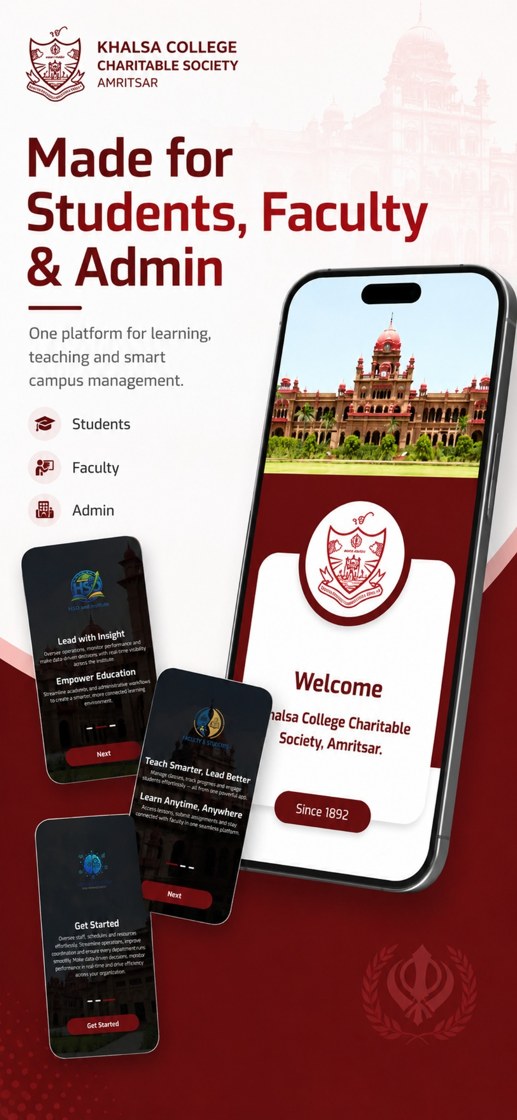
KCCSASR brings academic, administrative, financial, and campus services into one mobile experience for Khalsa College Charitable Society, Amritsar—improving communication, reducing paperwork, saving time, and delivering real-time updates and notifications.

3Role-based experiences
20+Institutional service areas
24×7Anytime information access
1Unified campus application
02 / 16

Complete module map

Menus and screens from the live KCCSASR role matrix. Switch any of the seven roles to see the exact home-screen modules assigned to that user, then select a module to preview it on the device.

13:10▮▮▮ ◔
Sample Student Khalsa College ◉ ID: ST-177172 ✉ user@kccsasr.com Student
SS
Attendance
Current status
Home eCard Notifications Settings
Role-based home screenSelect a module to highlight it on the device.
03 / 16

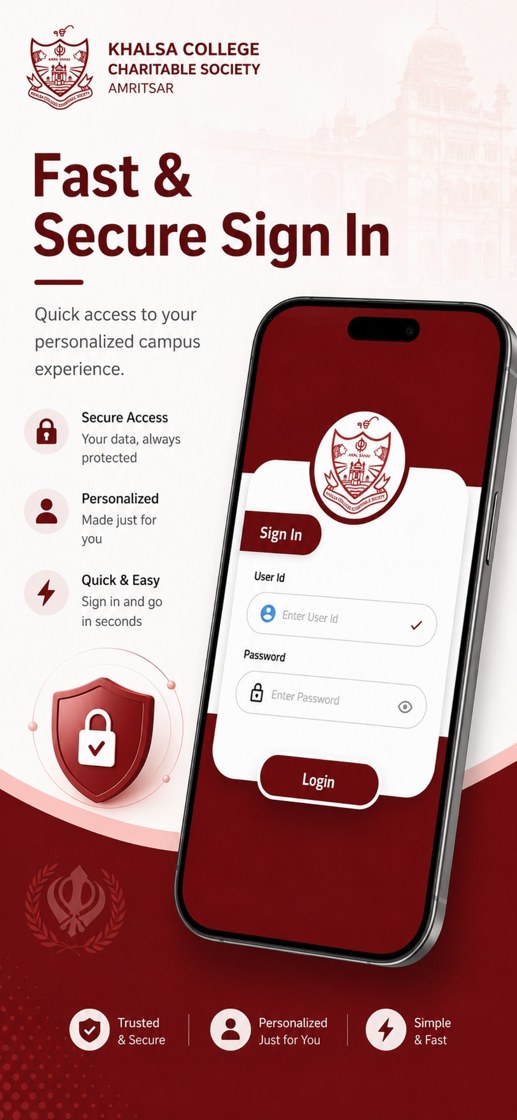
Fast & Secure Sign In

Users access a personalised campus experience through institutional credentials. The login experience is designed to be simple, direct, and role-aware.

Secure Access
Institution-issued credentials
Personalised
Role-based screens and services
Quick & Easy
Simple sign-in experience
Protected
Do not share passwords or OTPs
Secure Login Screen
Secure Login Experience
04 / 16
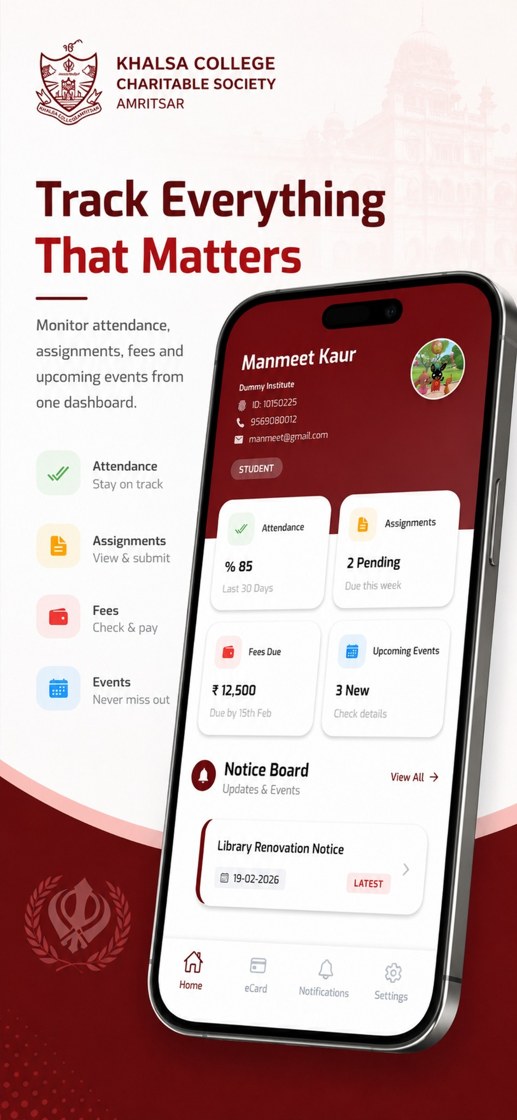
Student Dashboard Screen
Student Dashboard

Track Everything That Matters

Attendance, assignments, fees, notices, and upcoming events are brought together in one dashboard so users can quickly understand what needs attention.

Attendance
Stay on track
Assignments
View and submit
Fees
Check and pay
Events
Never miss updates
05 / 16

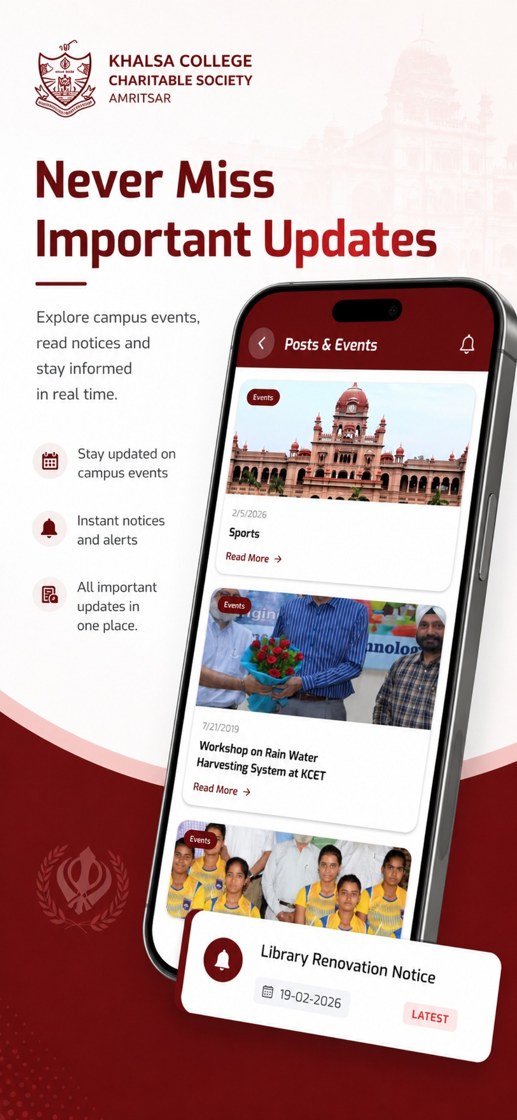
Never Miss Important Updates

Explore campus events, read notices, and stay informed in real time. Important information is presented in one place for faster communication across the institution.

Campus Events
Activities and programmes
Instant Notices
Timely institutional alerts
Latest Updates
Important announcements
Real-time Access
Anytime, anywhere
Posts and Events Screen
Posts & Events
06 / 16
Campus Services Screen
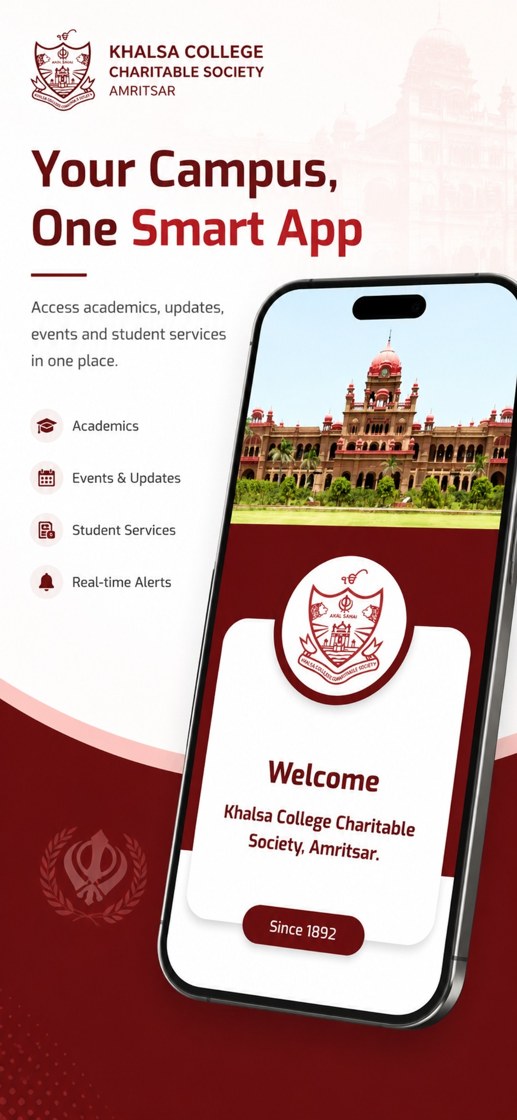
Your Campus, One Smart App

Your Campus, One Smart App

Access academics, updates, events, and student services through a single connected platform designed for students, faculty members, and administrators.

Academics
Timetable, attendance, assignments
Events & Updates
Real-time campus communication
Student Services
Fees, library, digital ID
Real-time Alerts
Important notices and reminders
07 / 16

Get KCCSASR in seven simple steps

1
Choose Your Device

Select Google Play for Android or the App Store for iPhone.

2
Open Official Listing

Use the store button below, or scan the Android QR code.

3
Verify KCCSASR

Confirm the KCCSASR name before downloading.

4
Install

Tap Install on Google Play or Get on the App Store.

5
Wait

Allow KCCSASR to download and install securely.

6
Open

After installation, tap Open.

7
Sign In

Use the registered User ID and Password provided by your institution.

KCCSASR app icon

Android

Download KCCSASR from its official Google Play listing or scan the QR code.

Open Google Play

Available nowOfficial listing
QR code to download KCCSASR from Google Play Scan for Android
KCCSASR app icon

iPhone

Download the official KCCSASR iPhone app from the App Store or scan the QR code.

Open App Store
Available nowiOS 15.1+Free
QR code to download KCCSASR from the App Store Scan for iPhone
Use official store listings Install and update KCCSASR only through Google Play or Apple’s App Store. New features and important changes will continue to be added to this presentation.
08 / 16

Institute Role

Administration & Oversight

Designed for administrators and authorised institutional officials who manage academic, administrative, and operational activities. The role centralises monitoring, publishing, approvals, institutional records, and reporting.

View staff profiles and service books

Upload and authorize posts and events

Monitor fee collections

Approve leave requests

Send notifications, alerts, wishes, and reminders

Create and manage the academic calendar

Access digital ID cards

View campus maps and emergency contacts

Review feedback received from users

Monitor social media updates and KCGC TV

Manage important dates and transport information

Create and manage timetables

Monitor student attendance

Track homework and assignments

Upload examination date sheets

View class diaries

Access payroll information

Monitor e-Library services

View uploaded online lectures

Review correspondence notifications

Monitor inventory dues

Generate administrative reports and analytics

Institute and Admin App Experience
Institute & Admin Experience
09 / 16

Faculty Role

Teaching & Academic Operations

Designed for teaching staff to manage academic responsibilities, access personal information, conduct classroom operations digitally, communicate with students, and complete teaching-related tasks.

View personal profile and service book

View institutional posts and events

Access fee-related reports

Apply for leave and check leave balance

Receive notifications and reminders

View the academic calendar

Access personal digital ID card

View campus navigation and emergency contacts

Submit feedback

Access institutional social media and KCGC TV

View important academic dates

Access transport routes

View assigned timetable

Mark and monitor student attendance

Assign homework and assignments

View examination date sheets

Upload and maintain class diaries

View personal payroll

Access library resources and issue/return history

Upload online lectures and study materials

View correspondence notifications

Monitor personal inventory dues

Access department-specific reports and analytics

Faculty App Experience
Faculty Communication Experience
10 / 16

Student Role

Learning & Campus Services

A convenient digital platform for accessing academic, financial, and campus services from anywhere—helping students stay informed, complete academic tasks, and interact with institutional services.

View personal profile

Access posts and institutional events

Pay fees online and view transaction history

Receive notifications, alerts, and reminders

View the academic calendar

Access personal digital ID card

Use campus maps and navigation

View emergency contacts

Submit feedback

Access official social media pages and KCGC TV

View transport routes

Access class timetable

View personal attendance

View and submit homework and assignments

View examination date sheets

Access personal class diary

Search library resources and view issue/return history

Access online learning materials uploaded by faculty

View correspondence notifications

Access reports made available to students

Student App Experience
Student Dashboard Experience
11 / 16

A complete campus journey in one place

From the first notification of the day to attendance, assignments, examinations, library services, fees, transport, and support, KCCSASR creates a consistent role-based experience for the Khalsa College Charitable Society, Amritsar campus community.

01 • Stay Informed

Posts, events, alerts, reminders, and academic calendar updates.

02 • Manage Academics

Timetable, attendance, homework, assignments, class diary, and examinations.

03 • Access Services

Fees, payroll, library, transport, digital ID, maps, and emergency contacts.

04 • Collaborate

Feedback, online lectures, learning materials, and correspondence.

05 • Review Insights

Role-specific reports, analytics, monitoring, and operational visibility.

12 / 16

Support for every authorised app user

Support for students, faculty members, staff, and authorised administrators using KCCSASR—the official mobile app of Khalsa College Charitable Society, Amritsar.

Before contacting support

  • Confirm that your internet connection is working.
  • Close and reopen the application.
  • Restart your Android phone or iPhone.
  • Check Google Play or the App Store for an available update.
  • Verify that notifications and required permissions are enabled.
  • Confirm that you are using the correct institutional account.

Information to share

  • User ID and assigned role—without sharing your password.
  • Institution, department, programme, class, or semester.
  • Device model and Android or iOS version.
  • App version, date, and time of the issue.
  • Clear screenshot and exact error message.
  • Steps followed immediately before the issue occurred.
Account security: Never share your password, OTP, payment credentials, or sensitive personal information with an unknown person. Use only official institutional support channels.
Open Official Support Page
13 / 16

Frequently Asked Questions

Search common questions about downloading, login, features, notifications, attendance, fees, security, and troubleshooting.

Who can use KCCSASR?
Students, faculty members, employees, staff, and authorised institutional administrators at Khalsa College Charitable Society, Amritsar can use the app. Available features depend on the role and permissions assigned by the institution.
How do I download the app?
Android users can open the official Google Play listing or scan the QR code in this presentation. iPhone users can open the official KCCSASR listing on Apple’s App Store. Tap Install or Get, wait for installation to finish, and then open the app.
Which credentials should I use?
Use the registered User ID and Password issued by your institution. Do not share your password or OTP with anyone.
What should I do if I forget my password?
Use the password recovery option when available. Otherwise, contact the designated institutional administrator, department office, or app support team.
Why can I not see a module?
Features are role-based. A module may be hidden because of your role, institution, department, programme, class, semester, or assigned permissions.
Can students pay fees in the app?
Students can access online fee payment and transaction history when these services are enabled by the institution.
Can faculty mark attendance?
Yes. Faculty members can view their assigned timetable, mark attendance, and monitor attendance records.
Can students view their attendance?
Yes. Students can view personal attendance after records have been entered and published by the institution.
Does the app support assignments and homework?
Yes. Faculty members can publish homework and assignments, while students can view and submit them when submission is enabled.
Can users view examination date sheets?
Yes. Examination schedules and date sheets published by the institution can be accessed in the app.
Does the app provide a digital ID card?
Yes. The digital ID card is available to eligible users when identity information and the feature are enabled.
Does the app send real-time notifications?
Yes. Users may receive announcements, alerts, reminders, wishes, academic updates, and role-specific messages.
Why am I not receiving notifications?
Allow notifications in your Android or iPhone settings, verify your internet connection, check battery or background restrictions, and confirm that you are signed in with the correct account.
Can I access library services?
Yes. Users can access library resources and view issue or return history according to their role and institutional configuration.
Can faculty upload learning material?
Yes. Faculty can upload online lectures, notes, and study materials when the relevant module is enabled.
Are campus maps and emergency contacts available?
Yes. The app can provide campus navigation and emergency contact details published by the institution.
Can users submit feedback?
Yes. Students and faculty may submit feedback. Authorised institute users may review submitted feedback.
Does the app require internet access?
Most features require an active internet connection because information is securely retrieved from institutional systems.
How do I update the app?
Open Google Play on Android or the App Store on iPhone, locate KCCSASR, and tap Update whenever a new version is available.
What should I do if the app is slow or not opening?
Check your internet connection, close and reopen the app, restart the device, update the app, and clear the app cache. Contact support if the issue continues.
What information should I provide to support?
Share your User ID, role, institution or department, device model, Android or iOS version, app version, date and time of the issue, and a screenshot. Never share your password or OTP.
Is an iPhone or iOS version available?
Yes. KCCSASR is available free on Apple’s App Store for iPhone and requires iOS 15.1 or later. Use the official App Store button in the Download section.
Will this presentation be updated with new features?
Yes. This document will be updated whenever new features, platform releases, or important changes are introduced in KCCSASR. Please check back here for the latest information.
How is account access protected?
Access is controlled through institutional login credentials and role-based permissions. Users should use strong passwords and sign out from shared devices.
Can I use the app on more than one device?
This depends on institutional security policy. Avoid keeping your account signed in on devices that you do not control.
FAQ Support Screenshot
14 / 16

Explore the KCCSASR Experience

Select a screen to preview the KCCSASR mobile app interface for Khalsa College Charitable Society, Amritsar.

15 / 16
Support checklist copied